
CRPM Training Program
The CloudSignals+RiskOps Continuous Risk Posture Management (CRPM) training program equips provider teams, provider administrators, and security practitioners with the knowledge and workflows to launch, operate, and scale a CloudSignals-powered risk management service.
Program overview
CRPM is not a single compliance posture check — it is an operational discipline that requires continuous execution across five linked stages: asset inventory, findings triage, business process mapping, risk treatment, and governance closure. For white-label providers, CRPM also requires a second operational layer: managing the platform itself, onboarding clients, configuring entitlements, and running a repeatable support and reporting process.
This training program addresses both layers:
Provider layer
How to stand up, operate, and grow a CloudSignals-powered service. Covers launch phases, client onboarding, GRC administration, RiskOps entitlements, branding, and operating cadence.
Practitioner layer
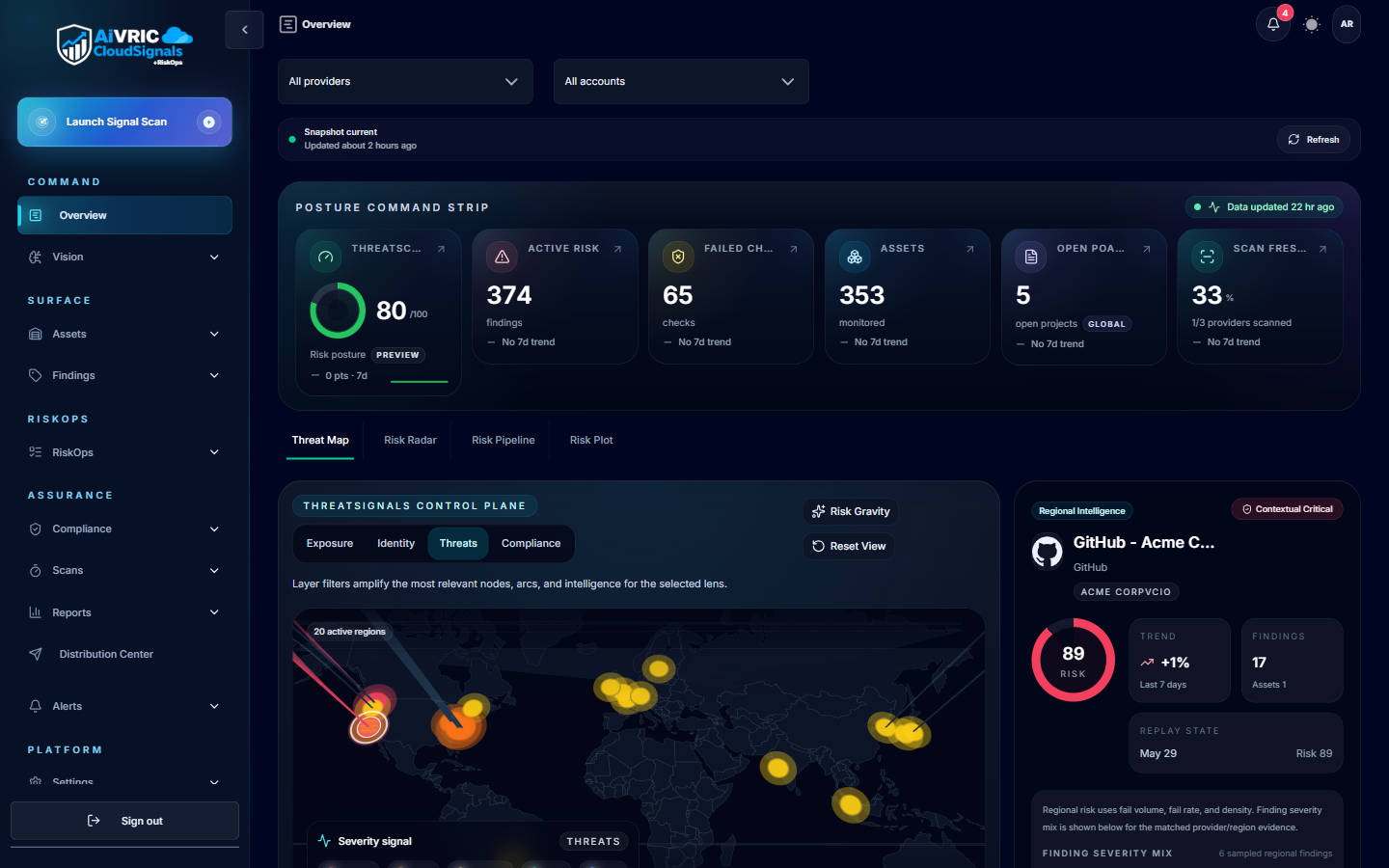
How to execute the end-to-end RiskOps flow inside a CloudSignals tenant — assets, findings, business processes, treatments, and governance — as a repeatable operational process.
Audience guide
The CRPM program serves four primary audience groups. Use the table below to route individuals to the correct courses before training begins.
| Audience | Role examples | Recommended courses | Est. time |
|---|---|---|---|
| Provider launch team | Provider admin, operations lead, delivery manager, client success manager | Provider Onboarding Foundations → Provider Admin & CRPM Ops → Getting Started with RiskOps | ~2.5 hrs |
| Provider administrator | IT/platform admin, tenant owner, GRC admin, support lead | Provider Admin & CRPM Ops → Getting Started with RiskOps | ~1.75 hrs |
| Provider operator | Security analyst, cloud risk analyst, GRC analyst, compliance specialist | Provider Onboarding Foundations (Modules 4–6 only) → Getting Started with RiskOps | ~1.25 hrs |
| Client practitioner | Security engineer, risk owner, compliance analyst, CISO/vCISO | Getting Started with RiskOps | ~45 min |
Curriculum map
The program consists of three courses, designed to be taken in sequence within each learning path. Each course is self-contained and may also be taken independently based on role.
Module index
The following table maps every module across all three courses, its learning objective, and the role it is most relevant to.
| Course | Module | Primary learning objective | Audience |
|---|---|---|---|
| P1 | 1 — The Provider Model | Understand what a white-label provider tenant is, the core role hierarchy, and where responsibility lies | All provider staff |
| P1 | 2 — Launch Phases | Execute the five launch phases from tenant readiness through operational rollout | Provider admin, delivery lead |
| P1 | 3 — Branding & Portal Setup | Complete the branding checklist and verify a client-ready portal | Provider admin |
| P1 | 4 — Client Onboarding Workflow | Follow the nine-step workflow to connect a client environment and validate the first scan | Provider operator |
| P1 | 5 — Operating Findings & Risk Register | Triage findings to the correct disposition and populate the Risk Register with business context | Provider operator |
| P1 | 6 — Reporting & Client Reviews | Plan and deliver client-facing operating reviews at the correct cadence | Provider operator, client success |
| P2 | 1 — Provider Console | Navigate and use the Provider Console dashboard as a daily operations tool | Provider admin |
| P2 | 2 — Client Lifecycle Management | Manage clients across all lifecycle states from onboarding through offboarding | Provider admin |
| P2 | 3 — Branding Administration | Configure, publish, and validate provider branding including logo, colors, and light/dark mode | Provider admin |
| P2 | 4 — GRC Administration | Create managed entities and GRC users in the correct order and maintain entity associations | GRC admin |
| P2 | 5 — RiskOps Entitlement | Enable or disable RiskOps for a tenant and verify the expected navigation and GRC behavior after each state change | Provider admin |
| P2 | 6 — AI Configuration | Distinguish Vision AI from GRC AI, configure both areas, and validate each independently | Provider admin, GRC admin |
| P2 | 7 — Operating Cadence & Quality | Run the daily, weekly, monthly, and quarterly admin review rhythms and apply provider quality standards | Provider admin |
| R1 | 1 — Asset Inventory | Understand the role of assets as the anchor for the risk chain and identify ownership gaps | All |
| R1 | 2 — Findings Triage | Disposition every Critical and High finding using the Remediate / Mitigate / Accept framework | All |
| R1 | 3 — Business Process Mapping | Create business process records, link supporting assets, and close mapping gaps | Risk owner, GRC analyst |
| R1 | 4 — Treatment Planning | Create treatment plans for every dispositioned finding with an owner, type, and target date | Risk owner, security analyst |
| R1 | 5 — Governance & Closure | Work the pending decisions queue and establish a recurring governance approval cadence | Risk owner, provider admin |
Learning paths
Three defined learning paths route learners through the curriculum based on their role and time horizon.
Take all three courses in sequence before the first client onboarding. P1 and P2 establish the provider operating model; R1 builds the practitioner capability needed to operate findings and risk workflows with and for clients.
Start with P2 to master the Provider Console, GRC Administration, and RiskOps entitlement controls. Follow with R1 to understand the operational risk workflows your users will run — required context for effective support and escalation.
Start with R1 for the end-to-end practitioner RiskOps flow. Provider-side operators may also want P1 Modules 4, 5, and 6 for findings quality and reporting context — especially if they present results directly to clients.
Prerequisites
For all courses
- Access to a CloudSignals provider portal or tenant (for hands-on exercises).
- At least one cloud provider connector configured and at least one scan completed.
- Basic familiarity with cloud environments (AWS, Azure, or GCP) — no advanced knowledge required.
For P2 — Provider Admin & CRPM Operations
- Provider Administrator role in the CloudSignals provider tenant.
- Access to the Provider Console.
- Branding assets available (logo, favicon, colors).
- At least one managed entity or client to practice GRC workflows.
For R1 — Getting Started with RiskOps
- At least one completed scan with visible findings in the tenant.
- RiskOps entitlement enabled (contact your Provider Admin if the RiskOps module is not visible).
Delivery guide
Self-paced delivery
All courses are available as self-paced HTML training on this Academy. Each course includes interactive checklists, knowledge check quizzes, and a progress bar that persists across sessions via browser storage. Learners can complete modules across multiple sessions.
Recommended self-paced schedule:
- Day 1: Complete P1 — Provider Onboarding Foundations.
- Day 2: Complete P2 — Provider Admin & CRPM Operations.
- Day 3: Complete R1 — Getting Started with RiskOps.
- Day 3–5: Apply exercises to live tenant with pilot client.
Instructor-led delivery (90-minute format)
For provider launch training events, the following 90-minute agenda covers the most critical operational content from all three courses:
| Segment | Content | Time |
|---|---|---|
| Welcome | Program overview, learning path for audience, what to expect from today. | 5 min |
| Provider model | P1 Module 1 — White-label tenant, roles, responsibilities, where the boundaries are. | 10 min |
| Launch phases | P1 Module 2 — Five phases, first 30-day plan, what "ready" looks like per phase. | 10 min |
| Admin demo | P2 Modules 1–3 — Provider Console live walk, branding publish, client record creation. | 15 min |
| GRC & RiskOps admin | P2 Modules 4–5 — Managed entity setup, GRC user creation, RiskOps entitlement toggle. | 10 min |
| RiskOps practitioner flow | R1 Modules 1–5 — Full RiskOps chain demonstration in live or demo tenant. | 20 min |
| Client onboarding & findings | P1 Modules 4–5 — Connect an environment, triage findings, Risk Register entry. | 10 min |
| Q&A and next steps | Open questions. Each attendee confirms their learning path and next action. | 10 min |
Hands-on exercises (post-training)
After completing training, each attendee should execute the following exercises in their assigned tenant:
- Confirm sign-in and verify their role grants correct navigation access.
- Review the Provider Console dashboard and identify the RiskOps module state.
- Verify or update branding in light and dark mode.
- Create one managed entity for a pilot client.
- Create one GRC user and associate them to the managed entity.
- Run a scan on the pilot client environment and review findings.
- Triage three findings using the Remediate / Mitigate / Accept framework.
- Create one treatment plan for a Critical or High finding.
- Process one pending governance decision.
- Prepare a one-page client findings summary and confirm the report format.
Training success metrics
Use the following metrics to assess training effectiveness and identify gaps that need reinforcement.
| Metric | Target | How to measure |
|---|---|---|
| Course completion rate | 100% of launch team completes P1 and P2 before go-live; 100% of operators completes R1 before first client scan | Academy progress bar; completion certificate download |
| Time to first client scan | Within 5 business days of provider tenant provisioning | Provider Console scan history |
| Findings triage rate — Week 1 | All Critical findings triaged within 24 hours of first scan | Findings queue; pending decisions count |
| Managed entity completeness | At least one managed entity per client, with assigned owner, before first client review | GRC Administration — Managed Entities list |
| Treatment plan coverage | All Critical findings have a treatment plan before first governance review | RiskOps — Treatments |
| First client review delivery | Within 7 days of initial scan | Report distribution log; client confirmation |
| Quiz pass rate (knowledge checks) | Correct answer on first attempt >80% across all modules | Module quiz results |
| Support escalation rate — Month 1 | No more than one platform escalation per provider per week after go-live | Support case log |
Resources and reference
Provider Onboarding
Foundations
Provider model, launch phases, client onboarding, findings quality, reporting cadence.
Start course →Provider Admin &
CRPM Operations
Provider Console, GRC Admin, RiskOps entitlement, AI config, operating cadence.
Start course →Getting Started
with RiskOps
Asset inventory, findings triage, business process mapping, treatments, governance.
Start course →CloudSignals Platform
Guide
Full reference documentation including connector setup, compliance mapping, and API reference.
Open guide →Connector Setup
Step-by-step instructions for connecting AWS, Azure, GCP, Kubernetes, GitHub, and more.
View connectors →Support
Live working sessions, guided setup, and escalation to AiVRIC for platform issues.
Get support →